
What is a JSON dataset? A guide for ML success
TL;DR:
- Even experienced ML teams can face costly training failures caused by simple JSON format errors like unescaped newlines. Proper structuring, validation, and understanding the differences between JSON and JSONL are essential for managing large, complex datasets effectively. Implementing schema versioning, automated validation, and using streaming parsers significantly reduces errors in large-scale AI training workflows.
Even seasoned ML engineering teams can watch a fine-tuning job collapse hours into training, only to trace the failure back to a single malformed JSON line, an unescaped newline buried in a 50GB corpus. Format errors aren’t glamorous problems, but they are expensive ones. JSON datasets power virtually every major AI training platform today, from Vertex AI to OpenAI to Hugging Face, yet the nuances of structure, validation, and scale trip up teams at every stage. This guide gives you a clear, practical framework for sourcing, managing, and deploying JSON training data without the costly surprises.
Key Takeaways
| Point | Details |
|---|---|
| JSONL for scalable ML | JSONL format enables efficient, line-by-line processing and is the leading choice for large AI training datasets. |
| Validate early | Most training errors stem from format issues, so always check JSON structure before model deployment. |
| Stream big data wisely | Use streaming parsers like ijson or orjson to handle large or deeply nested datasets without memory overload. |
| Anticipate schema pitfalls | Prepare for deep nesting, schema changes, and data anomalies by implementing validation and synthetic tests. |
| Expert curation pays off | Leveraging professional data curation and training tools minimizes errors and speeds up ML pipeline success. |
What is a JSON dataset and why does it matter in machine learning?
A JSON dataset in machine learning refers to a collection of data stored in JSON (JavaScript Object Notation) format, commonly used for structured, hierarchical data in AI training pipelines. Unlike flat CSV files, JSON naturally expresses relationships, nested objects, and arrays. That makes it ideal for representing annotation metadata, multi-turn conversations, image labels, and complex feature sets.
The key characteristic of JSON is its human-readable, key-value structure. Each data point can carry rich context alongside the core content. For image classification, a single record might include the image path, class labels, annotator confidence scores, and collection metadata, all in one self-contained object. This is why structured data in Vertex AI exports heavily rely on JSON formats with standardized field names.
Here’s a simplified look at typical fields you’ll encounter in an image annotation JSON dataset:
| Field name | Type | Purpose |
|---|---|---|
| "imageGcsUri` | String | Path to raw image in cloud storage |
annotationResourceLabels |
Object | Key-value labels for the annotation |
dataItemResourceLabels |
Object | Key-value labels for the data item |
classificationLabel |
String | Ground-truth class assigned |
splitType |
String | Train, validation, or test assignment |
“JSONL is the predominant format for ML datasets, used by OpenAI, Vertex AI, AWS Bedrock, and Hugging Face as the standard for training data delivery.”
Good dataset structuring for ML starts with understanding these fields at the schema level before a single record is written. Teams that skip this step almost always pay for it downstream during preprocessing.
JSON vs. JSONL: Key differences and when to use each
Understanding the core structure leads naturally into a common question: which format do you actually need for ML data, JSON or JSONL?
Standard JSON is a single, self-contained document. It can represent one object or a large array of objects, but the entire file must be parsed as one unit before any record is accessible. That’s fine for configuration files, API payloads, or small reference datasets. For large training corpora, it becomes a liability.

JSONL (JSON Lines) is the predominant format for ML datasets, where each line is an independent JSON object. You can stream it, append to it, and process it record by record without holding the entire file in memory. That matters enormously when you’re working with datasets in the tens or hundreds of gigabytes.
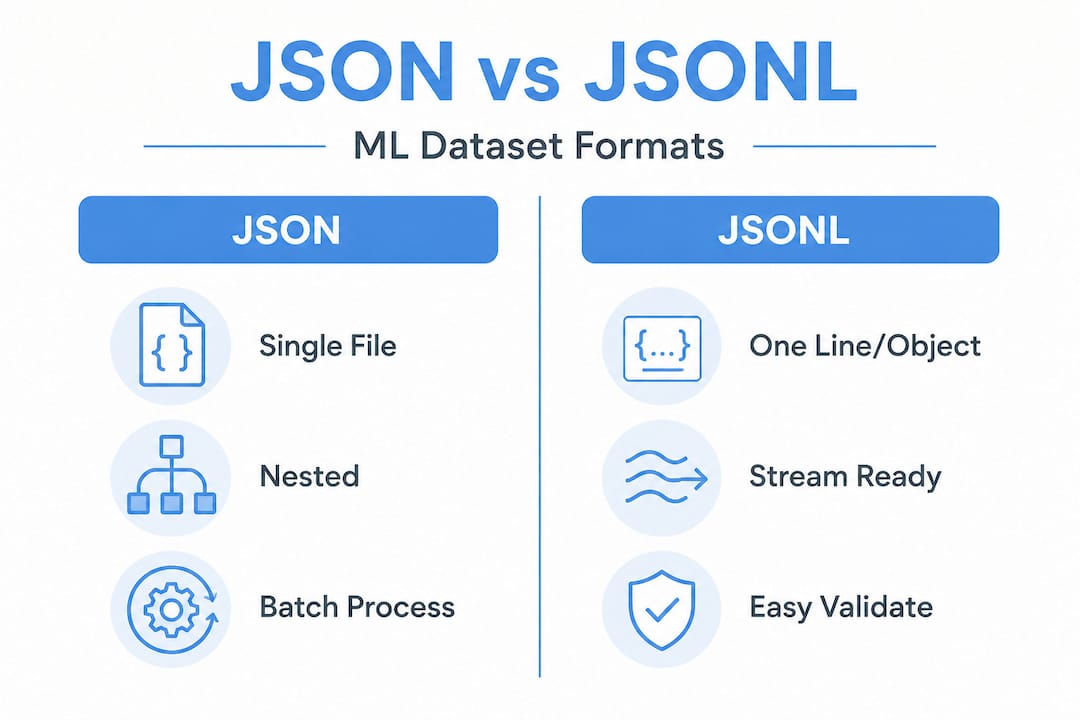
| Feature | JSON | JSONL |
|---|---|---|
| Root format | Single document or array | One object per line |
| Streaming | Not supported natively | Fully streamable |
| Memory use | Entire file loaded at once | Line-by-line parsing |
| Editability | Requires full rewrite | Easy append/update |
| Best fit | APIs, config, small datasets | Training data, logs, exports |
| Common pitfall | OOM on large files | Corrupted line breaks |
JSONL isn’t “true” JSON in the RFC sense (there’s no root array), but it’s parseable line by line, which makes it the preferred format for append-only logs, exports, and high-volume training pipelines. Think of JSON as your configuration language and JSONL as your data pipeline language.
Here’s how the major platforms align on format preference:
- OpenAI fine-tuning: Requires JSONL with role-based message structure
- Hugging Face datasets: Defaults to JSONL for large dataset uploads and streaming
- Vertex AI: Exports training data as JSONL (formerly JSON Lines)
- AWS Bedrock: Accepts JSONL for model customization jobs
When comparing CSV vs. JSON datasets, the key tradeoff is simplicity versus expressiveness. For nested, annotated, or conversational data, JSON and JSONL win. For flat tabular data, CSV remains competitive.
Pro Tip: Validate the format of every JSONL file before feeding it into a training pipeline. Over 80% of fine-tuning errors trace back to format issues rather than model architecture or hyperparameters. Catching this in a pre-flight check saves hours.
How to structure and validate JSON datasets for model training
Once you’ve chosen the right format, mastering the workflow for structuring and validating your data will prevent most headaches during model training.
For OpenAI fine-tuning, the JSONL structure requires a specific pattern: each line must be a JSON object containing a messages key, which holds an array of role-based turns. Each turn needs a role field (system, user, or assistant) and a content field. Strict RFC 8259 compliance is required: double quotes only, proper escaping of special characters, UTF-8 encoding without BOM, and no trailing commas.
A reliable structuring and validation workflow looks like this:
- Define your schema before writing any records. Lock field names, types, and required vs. optional fields.
- Generate records using your annotation pipeline or data collection process, writing each as a single-line JSON object.
- Escape carefully. Newlines inside string values must be
- Run automated validation using a schema validator (JSON Schema or a custom script) against every record before it touches your pipeline.
- Test-parse a sample of at least 1,000 records with your actual training library before committing to a full run.
For large files, parser selection matters as much as schema design. Streaming parsers like ijson process records iteratively, maintaining constant memory regardless of file size. orjson, a Rust-based library, is the fastest option for bulk parsing and serialization when files fit in memory. The standard library json module is fine for small files but will bottleneck at scale.
“For ML team leaders, standardizing on JSONL for training data pipelines and validating format early makes 80% of common fine-tuning errors preventable before they reach the GPU cluster.”
Robust dataset validation at this stage also catches encoding issues, null values in required fields, and duplicate records before they corrupt your model’s learned representations.
Pro Tip: For datasets over 100MB, always use iterative or streaming parsers. Loading a 500MB JSONL file with stdlib json as a single object will exhaust RAM on most standard training instances and crash your pipeline silently.
Common pitfalls: Nesting, schema changes, and real-world edge cases
Even a well-structured workflow can falter if you don’t account for the subtle traps and edge cases endemic to real-world AI datasets.
Deep nesting at 5 to 7 levels challenges both parsers and language models. When an LLM is trained on data where objects are nested many layers deep, attention mechanisms can lose the hierarchical context, leading to performance regressions. For parsers, deeply nested structures also increase recursion depth and can trigger stack overflows in naive implementations.
Common problems teams encounter in production JSON datasets:
- Unescaped newlines or special characters inside string fields, causing parser failures on line-break-delimited formats
- Schema drift when annotation teams add or rename fields mid-project, breaking downstream feature extraction
- Mixed types in the same field (a
labelfield that’s sometimes a string and sometimes an array) causing silent type errors in preprocessing - Malformed records embedded in otherwise valid files, halting batch jobs at unexpected points
- Extreme nesting depth that degrades LLM comprehension even when parsing succeeds
The DeepJSONEval project reported 400 invalid files within a 1 billion document corpus, directly attributable to schema and format errors accumulated over time. That’s a small percentage, but at that scale, it represents millions of corrupted training records.
Handling these edge cases requires schema versioning (so you know exactly which schema version each record was produced under), automated validation in your collection pipeline, and synthetic data to stress-test your parsers against anomalies like invalid dates, negative integers in unsigned fields, and extreme nesting. Catching issues upstream is always cheaper than retraining after a corrupted run.
Good dataset standardization practices are the clearest path to eliminating schema drift. Lock your schema at the start, version it explicitly, and enforce it automatically at ingestion.
Why most teams underestimate JSON dataset complexity and how to actually get it right
Moving beyond mechanics, here’s the uncomfortable truth: most ML teams treat JSON as a solved problem. It’s just a format, right? It’s readable, it’s everywhere, and every language has a parser. That assumption is where the real production failures begin.
The hidden cost isn’t parsing. It’s schema evolution over time. Datasets grow, annotation guidelines change, new data sources get added. Each change creates schema drift. And unlike a database with enforced types, a JSONL file will happily accept any structure you throw at it. You won’t know something broke until your model starts behaving strangely three training cycles later.
The teams that consistently get this right don’t just validate on ingestion. They benchmark their parsers on actual production-sized datasets before scaling up, not on toy examples. They also adopt managed tooling early. Using managed services like Vertex AI for dataset auto-splitting, lineage tracking, and schema management removes enormous operational burden. For teams with evolving schemas, database tools designed for data evolution (like LanceDB) can manage versioned schema changes without full rewrites.
The teams that underestimate this complexity are the ones treating JSON data prep as a one-time task rather than an ongoing discipline. Training-ready data isn’t just clean data, it’s reliably structured data with a schema that holds over time.
Accelerate your AI pipeline with expert-curated training data
Working through JSON schema design, format selection, and validation at scale takes real time and specialized expertise, particularly when you’re managing millions of records across multiple annotation sources.
At DOT Data Labs, we handle the full data supply chain for ML teams, from raw collection through to validated, model-ready JSONL output. Whether you need an off-the-shelf dataset, a one-off custom build to exact specifications, or an ongoing pipeline feeding your training infrastructure, we deliver structured, labeled, quality-validated data without you needing to manage multiple vendors. Learn more about formatting training-ready data for fine-tuning, or explore our dataset curation tips for 2026 to optimize the quality of every training run.
Frequently asked questions
What fields are typically found in a JSON dataset for machine learning?
Common fields include data URLs, annotation labels, and metadata for each data item, all organized as key-value pairs. For example, image datasets in Vertex AI export with fields like imageGcsUri, annotationResourceLabels, and dataItemResourceLabels in JSONL format.
How does JSONL help with large ML datasets?
JSONL enables memory-efficient streaming so you don’t need to load full datasets into RAM. JSONL’s line-by-line structure is crucial for large-scale training data that would otherwise exhaust system memory.
What’s the fastest way to parse high-volume JSON training data?
Use orjson for fast bulk parsing, or ijson for very large files that need iterative streaming. orjson outperforms both ujson and stdlib, while ijson maintains constant memory on 100MB+ NDJSON files.
What problems can deep nesting or schema drift cause?
Deep nesting and evolving schemas often break parsers and degrade model performance. Deep nesting at 5 to 7 levels creates parsing failures and LLM comprehension issues if not addressed at the schema design stage.
Recommended
- ML dataset structuring: Techniques for optimal AI training
- Dataset optimization guide: boost AI model accuracy in 2026
- What is dataset standardization? Optimize LLM fine-tuning
- Master the role of datasets in prediction for AI
- Amazon SageMaker Best Practices: Optimize Your Machine Learning Workflows | IT-Magic