
How to structure AI datasets: proven steps for reliable training

TL;DR:
- Proper dataset organization, schemas, and documentation prevent production failures and enable reproducibility.
- Use a clear folder structure, validation checks, and metadata standards to catch errors early.
- Structured, schema-rich datasets streamline scaling, debugging, and deploying reliable AI models.
Your model hits 94% accuracy in testing, then falls apart in production. Nine times out of ten, the culprit isn’t your architecture or your hyperparameters. It’s the dataset structure underneath. Disorganized folders, inconsistent schemas, and contaminated splits quietly corrupt training signals before a single gradient update runs. This guide walks you through everything you need to build a clean, scalable dataset foundation: the prerequisites, a step-by-step structuring walkthrough, metadata standards, and a verification checklist to catch errors before they cost you weeks of retraining.
Key Takeaways
| Point | Details |
|---|---|
| Use clear folder templates | Always separate raw, processed, and split data to avoid confusion and errors. |
| Document with dataset cards | A detailed dataset card with schema and metadata makes your work reproducible and shareable. |
| Verify for errors and leaks | Regularly check for split contamination and duplicated files with audits and filtering tools. |
| Prefer modular, config-driven design | Organize your data scripts and configurations for flexibility and easier model updates. |
What you need before structuring an AI dataset
Before you write a single line of preprocessing code, your project environment needs to be organized around a clear, repeatable template. A recommended project folder structure separates raw data (immutable), processed data, notebooks for EDA, and src with modular components. That separation isn’t just tidy. It’s a contract with your future self and your teammates.
The core idea behind config-driven, modular structures is that every transformation should be reproducible from a config file, not buried in a notebook cell someone ran six months ago. If a teammate can’t reconstruct your dataset from scratch using only your repo and a config, your structure has already failed.
Here’s what a solid baseline folder template looks like:
| Folder | Purpose |
|---|---|
| data/raw/ | Immutable source files, never modified |
| data/processed/ | Cleaned, normalized outputs |
| data/splits/ | Train, validation, and test subsets |
| notebooks/ | EDA only, never production logic |
| src/ | Modular scripts for ingestion, cleaning, feature engineering |
| configs/ | YAML files defining schema, splits, and hyperparameters |
Beyond folder layout, you need the right tooling in place before you start:
- DVC (Data Version Control): Tracks dataset versions alongside your code, so you always know which data produced which model.
- MLflow: Logs experiments and links them to specific dataset snapshots for full reproducibility.
- File formats: Use JSONL for sequential or text-heavy data, CSV for tabular features, and BigQuery for large-scale structured queries.
- Hardware considerations: For datasets above 50GB, local SSDs become a bottleneck. Plan for cloud storage (GCS, S3) with streaming-compatible formats from day one.
When it comes to structuring dataset methods, the biggest early mistake teams make is mixing exploratory code with production pipelines. Notebooks are powerful for understanding your data, but they’re dangerous when they become part of the pipeline itself.
Pro Tip: Keep all Jupyter notebooks inside the notebooks/ folder and enforce a rule that no notebook ever gets imported by src/. EDA lives there. Production logic does not.
Applying clean structuring techniques from the start costs you maybe two hours upfront. Skipping it costs you two weeks when you need to reproduce a model six months later.
Step-by-step guide: Structuring AI dataset folders and files
With your tools and templates in place, here’s how to actually build the structure from scratch.
Step 1: Initialize your folder hierarchy. Create data/raw/, data/processed/, data/splits/, notebooks/, src/, and configs/ at the project root. Commit this skeleton to version control immediately, even before any data arrives.
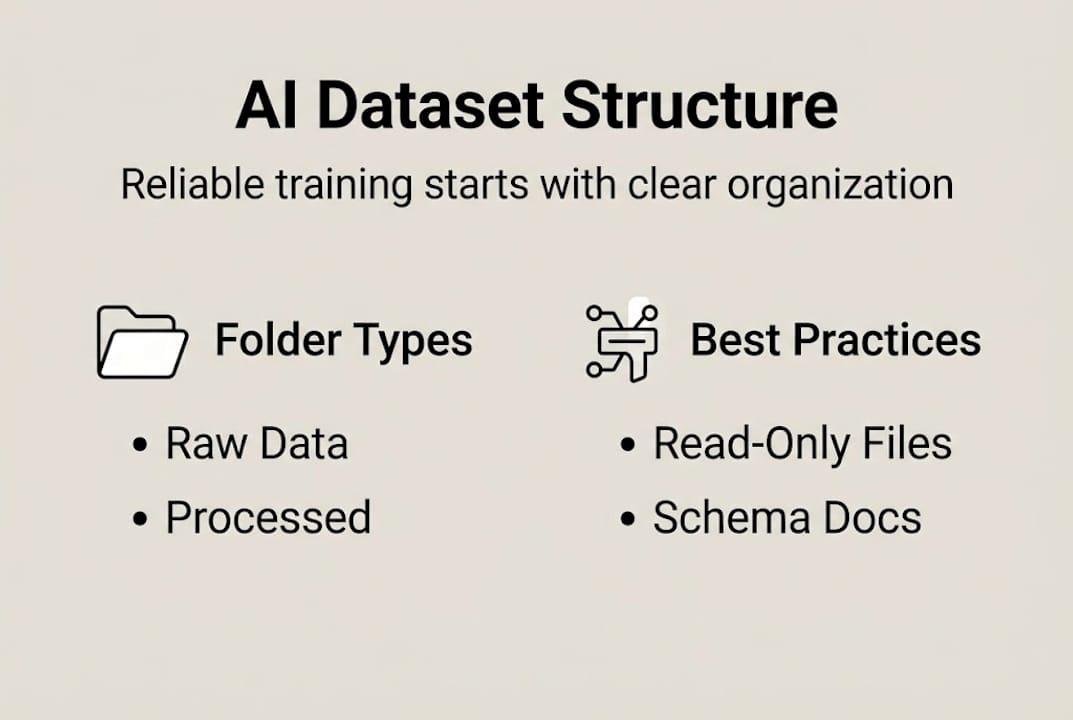
Step 2: Lock down raw data. Move source files into data/raw/ and set them to read-only permissions. This folder is your ground truth. Nothing should write to it after initial ingestion.

Step 3: Build your schema files. Create a README.md at the project root and a schema.yaml inside configs/. The schema file should define every field name, data type, expected range, and whether nulls are permitted.
Step 4: Run preprocessing into data/processed/. All cleaning, normalization, and feature engineering outputs go here. Use deterministic scripts in src/ so the same input always produces the same output.
Step 5: Create your splits. Divide your processed data into train, validation, and test subsets. A common ratio is 70/15/15, though class distribution and dataset size should guide your final choice. For managed datasets in Vertex AI, use JSONL or CSV with splits defined in config files, where schemas describe annotations and field types precisely.
Step 6: Add annotation and label files. For classification tasks, store label maps in configs/labels.json. For object detection or segmentation, co-locate annotation files with their corresponding split folders.
How you organize files also depends on your deployment target. Here’s a quick comparison:
| Structure type | Best for | Trade-off |
|---|---|---|
| Flat (all files in one folder) | Small datasets, quick prototypes | Hard to scale, no version clarity |
| Hierarchical (split by class/split/source) | Production models, large teams | Requires discipline to maintain |
| Hybrid (flat raw, hierarchical processed) | Most real-world projects | Balances flexibility and rigor |
For platforms like Hugging Face or custom research pipelines, hierarchical structures with clear split folders are almost always the right call. The production dataset structure you build now directly determines how fast you can iterate later. Teams that get this right ship model updates in days, not weeks.
Understanding the dataset role in AI outcomes makes it clear: structure isn’t overhead. It’s infrastructure.
Dataset cards and metadata standards
Once your folders and files are organized, the next layer is documentation. A dataset card is a structured README that tells anyone (including your future self) exactly what this dataset is, where it came from, how it was built, and where it should and shouldn’t be used.
Hugging Face datasets require a README.md with YAML metadata covering splits, size categories, and languages. Even if you’re not publishing to Hugging Face, this standard is worth adopting internally. It forces you to be explicit about things teams usually leave implicit.
A solid dataset card should include:
- Dataset description: What the data represents, its domain, and its intended use cases.
- YAML metadata block: Splits, size categories, language tags, and license information at the top of the README.
- Data fields: A table defining each column or field, its type, and example values.
- Source and collection method: Where the data came from and how it was gathered.
- Preprocessing steps: What transformations were applied and in what order.
- Known limitations and biases: What the dataset does not cover and where it may fail.
- Considerations for use: Legal, ethical, and technical constraints on downstream applications.
Metadata quality is your first line of defense against train/test contamination. When splits are poorly documented, examples leak between training and evaluation sets without anyone noticing. The model looks great on benchmarks and fails in the real world.
Pro Tip: Standardize your YAML metadata schema across all projects in your organization. When every dataset card follows the same format, onboarding new team members and scaling to new projects becomes dramatically faster.
A well-documented dataset also makes your machine-ready dataset easier to hand off, audit, and extend. Metadata isn’t paperwork. It’s the spec that makes your data trustworthy.
Common mistakes and how to verify your dataset structure
Even well-intentioned teams introduce structural errors. The good news is that most of them are detectable before training starts, if you know what to look for.
The most frequent problems include:
- Split contamination: Examples from the test set appearing in the training set, inflating evaluation metrics.
- Duplicated files: The same record stored under different filenames across splits.
- Inconsistent naming conventions: Files named with mixed formats (snake_case vs. camelCase vs. random strings) that break automated pipelines.
- Missing or mismatched annotations: Label files that don’t align with their corresponding data files.
- Schema drift: Fields added or renamed during preprocessing without updating the schema.yaml.
Here’s a verification checklist to run before any training job:
- Confirm no record IDs appear in more than one split.
- Verify file counts match expected split ratios.
- Run a schema validation script against every file in data/processed/ and data/splits/.
- Check that all annotation files have a corresponding data file and vice versa.
- Spot-check 50 to 100 random samples per split for label accuracy and field completeness.
- Validate that data/raw/ files are unchanged (compare checksums against initial ingestion).
For subtler issues, adversarial filtering removes artifacts and ensures genuine reasoning rather than pattern matching on surface features. The technique, used in benchmarks like HellaSwag, systematically eliminates examples where models could guess correctly for the wrong reasons. Applying similar logic to your own datasets, by simulating downstream model behavior during data validation, surfaces edge cases that static checklist reviews miss entirely.
Good dataset curation practices and the ability to normalize datasets consistently are what separate teams that iterate fast from those that spend weeks debugging phantom performance drops.
Pro Tip: Always simulate how your training script will consume the dataset before finalizing structure. Load a small batch end-to-end through your actual data loader. Edge cases that survive static review almost always surface here.
Why robust dataset structure is underrated and what most teams miss
Here’s the uncomfortable truth most ML teams won’t admit: the dataset structure gets rushed because it feels like plumbing, not engineering. Everyone wants to get to model training. Nobody wants to spend a Friday afternoon writing schema.yaml files.
But the teams that consistently ship reliable AI products aren’t the ones with the cleverest architectures. They’re the ones with boring, meticulous data discipline. We’ve seen cases where a model’s mysterious performance plateau was traced back not to underfitting or a bad learning rate, but to a folder structure that silently mixed validation examples into training batches.
Code review catches bugs in logic. It almost never catches bugs in data organization. That asymmetry is where technical debt accumulates fastest. Scaling a team from three to fifteen engineers on a messy dataset structure doesn’t distribute the problem. It multiplies it.
The AI dataset trends for startups in 2026 point clearly toward structured, schema-consistent data as a competitive advantage, not just a best practice. Teams that treat their master research dataset as a first-class engineering artifact ship faster, debug faster, and scale without the painful rewrites that come from cutting corners early.
Structure is the investment that pays every time you touch the project again.
Get optimized, production-ready datasets for your AI projects
Building and maintaining clean dataset structure at scale is genuinely hard work. If your team is focused on model development and doesn’t have the bandwidth to build production-grade data pipelines from scratch, DOT Data Labs produces structured, schema-consistent datasets built specifically for LLM fine-tuning, RAG pipelines, classification models, and vertical AI systems.
Every dataset we deliver follows the production dataset standards covered in this guide: clean splits, validated schemas, and embedding-ready formatting. Explore our optimized dataset guide to see what machine-ready data looks like in practice, or reach out to discuss a custom dataset built for your specific training pipeline.
Frequently asked questions
What is the best folder structure for AI datasets?
Separate raw (immutable), processed, and split data into distinct folders, and keep scripts and notebooks outside the data directories. A clean folder hierarchy with raw, processed, splits, src, and configs gives you reproducibility and clean version control from day one.
Which formats and splits are used in production-grade AI datasets?
Production datasets use formats like JSONL or CSV and are divided into train, validation, and test sets defined by config files. Managed datasets in Vertex AI follow this pattern, with schemas describing annotations and field types for each split.
What should a dataset card or README include?
It should cover splits, data fields, sources, preprocessing steps, known limitations, and usage considerations in both YAML and Markdown. Hugging Face dataset cards set the standard, requiring YAML metadata with splits, size categories, and language tags at minimum.
How can I check for errors or leaks in my dataset structure?
Run a verification checklist covering record ID uniqueness across splits, schema validation, and annotation alignment, then apply adversarial filtering to catch subtle artifacts. Adversarial filtering techniques systematically remove examples where models could exploit surface patterns rather than learn genuine reasoning.