
CSV Datasets in Machine Learning: Structure, Pitfalls, and Best Practices

TL;DR:
- CSV datasets must follow strict structure standards like RFC 4180 to prevent data corruption.
- Proper validation of encoding, delimiters, quoting, and schema reduces ML pipeline errors.
- For large-scale or production use, consider switching to columnar formats like Parquet for efficiency.
CSV files look harmless. A header row, some comma-separated values, maybe a few thousand records. Simple, right? In practice, CSV causes real workflow issues in AI and ML pipelines far more often than engineers expect. A single encoding mismatch or an embedded newline can corrupt an entire training batch. This article answers the core question—what exactly is a CSV dataset in the context of machine learning—and walks through structure standards, real-world parsing pitfalls, and the best practices that separate a reliable ML pipeline from one that breaks at 2 a.m. on a production run.
Key Takeaways
| Point | Details |
|---|---|
| CSV structure matters | Consistent formatting, quoting, and encoding are crucial for reliable ML workflows. |
| Edge cases are common | Real-world CSVs often break simple parsers, so validate thoroughly before using in AI. |
| Follow best practices | Automate checks for missing data, encoding, and column consistency to avoid model training issues. |
| Know when to switch formats | For large or complex datasets, consider modern formats like Parquet for better results. |
What defines a CSV dataset?
A CSV dataset is not just any file with a .csv extension. In the context of machine learning, it is a structured, consistently formatted collection of records designed to be parsed reliably by automated tools. The informal technical standard is RFC 4180, which specifies comma delimiters, double-quote wrapping for fields that contain commas, quotes, or newlines, escaped double quotes written as two consecutive double quotes, CRLF line endings, and a consistent field count per row. An optional header row names each column.
Those details matter enormously for ML. When a library parses your CSV, it makes assumptions about structure. Break one rule and you get misaligned columns, dropped rows, or silent data corruption that only surfaces during model evaluation.
The essential structural components of a valid CSV dataset include:
- Header row: Named columns that map directly to feature names or label identifiers in your model
- Consistent column count: Every row must have the same number of fields, even if some are empty
- Uniform data types per column: Mixing integers and strings in a single feature column creates downstream type coercion errors
- Proper quoting: Any field containing a comma, newline, or double quote must be wrapped in double quotes
- Encoding consistency: All characters should follow a single encoding standard, ideally UTF-8
“A CSV dataset used in ML is only as reliable as its least consistent row. One malformed record can shift every downstream column index.”
For ML applications, structural consistency is not a formatting preference—it is a correctness requirement. A high-quality dataset for AI training must have predictable schema, clean field boundaries, and zero ambiguity in how values are represented.
| Element | Valid example | Invalid example |
|---|---|---|
| Delimiter | "name,age,score` | name;age score |
| Quoted field | "Smith, John",30 |
Smith, John,30 |
| Escaped quote | "He said ""hello""" |
"He said "hello"" |
| Line ending | CRLF or LF (consistent) | Mixed CRLF and LF |
| Field count | 3 fields per row | Row 1 has 3, Row 2 has 4 |
How CSV datasets are used in machine learning workflows
With CSV structure clear, here is how machine learning professionals typically leverage CSV datasets in their pipelines. The entry point for most Python-based workflows is pandas.read_csv, which handles delimiters, quoting, encoding, missing values, and chunked reading for large files. It is flexible, but that flexibility is a double-edged sword—it can silently infer wrong settings if you are not explicit.
A reliable CSV ingestion workflow typically follows these steps:
- Specify encoding explicitly: Always pass
encoding='utf-8'or the correct encoding. Never rely on auto-detection. - Define the delimiter: Use
sep=','even when it seems obvious. Tabs and semicolons are common surprises in exported files. - Set
dtypeper column: Prevent pandas from guessing. Define integer, float, and string columns upfront to avoid silent type coercion. - Handle missing values: Use
na_valuesto define what counts as null in your specific dataset. Default behavior misses custom null markers likeN/Aor--. - Use chunking for large files: For datasets over a few hundred MB, use
chunksizeto process records in batches. This prevents memory overflow during ingestion. - Validate after loading: Check shape, dtypes, and null counts immediately after reading. Do not assume the file loaded cleanly.
Pro Tip: For files over 1 GB, consider reading with chunksize=100000 and streaming each chunk through your data preprocessing workflow rather than loading the full dataset into memory. This keeps RAM usage predictable and makes your pipeline easier to scale.
Encoding is where many pipelines quietly fail. A file that looks correct in a text editor can contain Windows-1252 or Latin-1 characters that break UTF-8 parsers mid-read. The fix is simple: always specify encoding, never assume. When optimizing datasets for ML, encoding standardization should be the first transformation applied, not an afterthought.
Pitfalls and edge cases when handling CSV datasets
Loading a clean, well-formed CSV seems straightforward—until you encounter real-world data. The most common and damaging edge cases are not obvious at first glance, and standard tools do not always catch them.
The most frequent problems include:
- Embedded newlines: A text field containing a line break will split one logical row into two physical lines, shifting all subsequent column indexes
- Mixed delimiters: Files exported from different systems may use commas in some rows and semicolons or tabs in others
- Inconsistent column counts: Extra or missing fields in individual rows cause parsers to misalign or reject entire records
- Encoding mismatches: A file saved as Latin-1 but read as UTF-8 produces garbled characters in string fields
- Unescaped quotes: A quote character inside a field that is not properly escaped breaks the quoting logic for the rest of the file
Edge cases in real CSV data include embedded newlines requiring proper quoting, inconsistent delimiters across rows, encoding mismatches, and non-RFC variations that are extremely common in files exported from enterprise tools, spreadsheets, and legacy systems.

Even mature parsing tools are not immune. DuckDB and pandas handle roughly 90 to 95 percent of polluted CSVs in benchmarks like Pollock, but failures cluster around inconsistent column counts, non-standard newlines, and multibyte delimiters. That 5 to 10 percent failure rate is unacceptable in a production training pipeline.
| Scenario | Valid CSV | Problematic CSV |
|---|---|---|
| Field with comma | "New York, NY" |
New York, NY |
| Field with newline | `"Line one | |
| Line two"` | `Line one | |
| Line two` | ||
| Encoding | UTF-8 throughout | Mixed UTF-8 and Latin-1 |
| Column count | 5 fields every row | Row 47 has 6 fields |
Pro Tip: Before loading any CSV into a training pipeline, run a dialect detection check using Python’s csv.Sniffer class and compare detected settings against your expected schema. A fast dataset cleansing process that catches dialect mismatches early saves hours of debugging later.
Best practices for ensuring high-quality CSV datasets
Knowing the pitfalls, here are actionable best practices to make your CSV datasets as robust and ML-ready as possible. These are not optional polish steps—they are the baseline for any dataset entering a training or fine-tuning workflow.
- Enforce UTF-8 encoding at the source: UTF-8 encoding and consistent delimiters are the foundation of ML-ready CSV preparation. Convert at ingestion, not at training time.
- Validate structure before every pipeline run: Check row count, column count, and field types programmatically. A schema mismatch caught before training saves hours.
- Standardize date formats using ISO 8601: Use
YYYY-MM-DDfor all date fields. Mixed formats like01/15/2026andJanuary 15, 2026in the same column are a type-casting nightmare. - Remove duplicates and handle missing values explicitly: Define a strategy—imputation, removal, or flagging—before training. Leaving it to chance produces inconsistent model behavior.
- Use consistent quoting throughout: Apply quoting rules uniformly. Do not quote some string fields and leave others unquoted.
- Document your schema: Maintain a schema file alongside your CSV that defines column names, types, and accepted value ranges. This is essential for reproducibility.
Pro Tip: Automate validation as a pipeline step, not a manual check. A lightweight script that verifies encoding, column count, and type consistency before every training run will catch regressions introduced by upstream data changes. For teams working on dataset curation, automation is the difference between a stable pipeline and a fragile one.
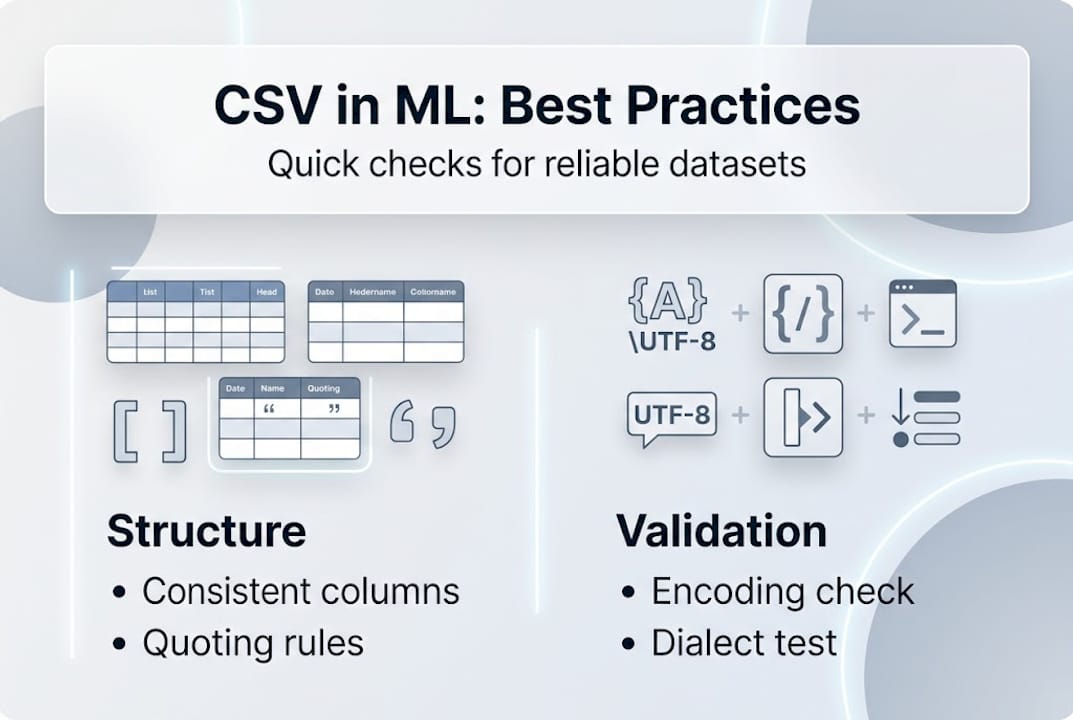
For production-scale pipelines, also consider when CSV is the wrong tool entirely. Parquet offers columnar storage, built-in compression, and native type enforcement—advantages that matter when your dataset exceeds a few GB. The guidance on building high-quality ML datasets consistently points to format selection as a key architectural decision, not an afterthought.
Why CSV is still essential—and when it’s time to move on
Here is the perspective earned from working with datasets at scale: CSV is not going away, and dismissing it as a legacy format misses the point. Its ubiquity is its value. Every tool reads it. Every stakeholder can open it. For data exchange, prototyping, and smaller-scale training runs, CSV remains the lowest-friction option available.
But ubiquity creates complacency. Teams treat CSV as trivial and skip the validation steps that would catch problems before they cascade into model errors. The format’s simplicity is deceptive—it has no native type system, no schema enforcement, and no compression. Those absences create real costs at scale.
For production ML pipelines, the practical approach is to validate CSV dialect first, handle chunking for GB-scale datasets, and switch to Parquet when columnar efficiency becomes a bottleneck. The transition point is usually around 5 to 10 GB of training data, or when query performance on specific columns becomes a constraint.
Dialect validation is the single highest-leverage habit you can build. Most CSV failures are not random—they are predictable dialect mismatches that a two-second automated check would catch. Teams that adopt ML dataset structuring techniques with dialect validation baked in spend dramatically less time debugging ingestion failures and more time improving models.
Take your AI data pipeline further with Dot Data Labs
Mastering CSV structure and validation is foundational, but building and maintaining production-grade datasets at scale is a different challenge entirely. That is where structured, machine-ready data production makes the difference.

At Dot Data Labs, we produce large-scale, schema-consistent datasets built specifically for LLM fine-tuning, classification models, and RAG pipelines. Every dataset we deliver follows encoding standards, validated structure, and AI-optimized formatting—so your team spends time training models, not debugging ingestion. Explore our dataset optimization guide for deeper technical guidance, or review our production dataset structure standards to see how we approach ML-ready data at scale.
Frequently asked questions
What makes a CSV dataset different from a regular CSV file?
A CSV dataset is a structured collection of records built to follow consistent formatting, encoding, and column definitions for machine learning or data analysis workflows, as opposed to a generic export file. RFC 4180 defines the informal standard that separates a well-formed dataset from an ad hoc file.
Why do machine learning professionals care about CSV dialects?
Inconsistent delimiters or quoting rules cause parsing errors that misalign columns and corrupt feature values, directly impacting model training reliability. Embedded newlines, encoding mismatches, and inconsistent delimiters are the most common sources of silent data corruption.
How can I validate my CSV files before using them in ML?
Run automated checks for encoding consistency, delimiter correctness, quoting rules, and column count before any training run. Validating structure and types before training is a core best practice that prevents downstream model errors.
When should I use Parquet or another format instead of CSV?
Switch to Parquet when your dataset exceeds several GB, when columnar query performance matters, or when native type enforcement is required. Parquet provides columnar efficiency that CSV simply cannot match at production scale.